Traditional deuce
Play advantage scoring when your match follows the classic tennis-style format.
Keep score from your Apple Watch and stay in the point. Save the rallies worth sharing with TapClip, then see each match more clearly on iPhone.

Apple Watch padel scorekeeper
Track points, games, sets and the serving team from your Apple Watch, so your head stays in the next ball, not the scorecard. Start from your wrist, score before the next serve, then revisit the match on iPhone.
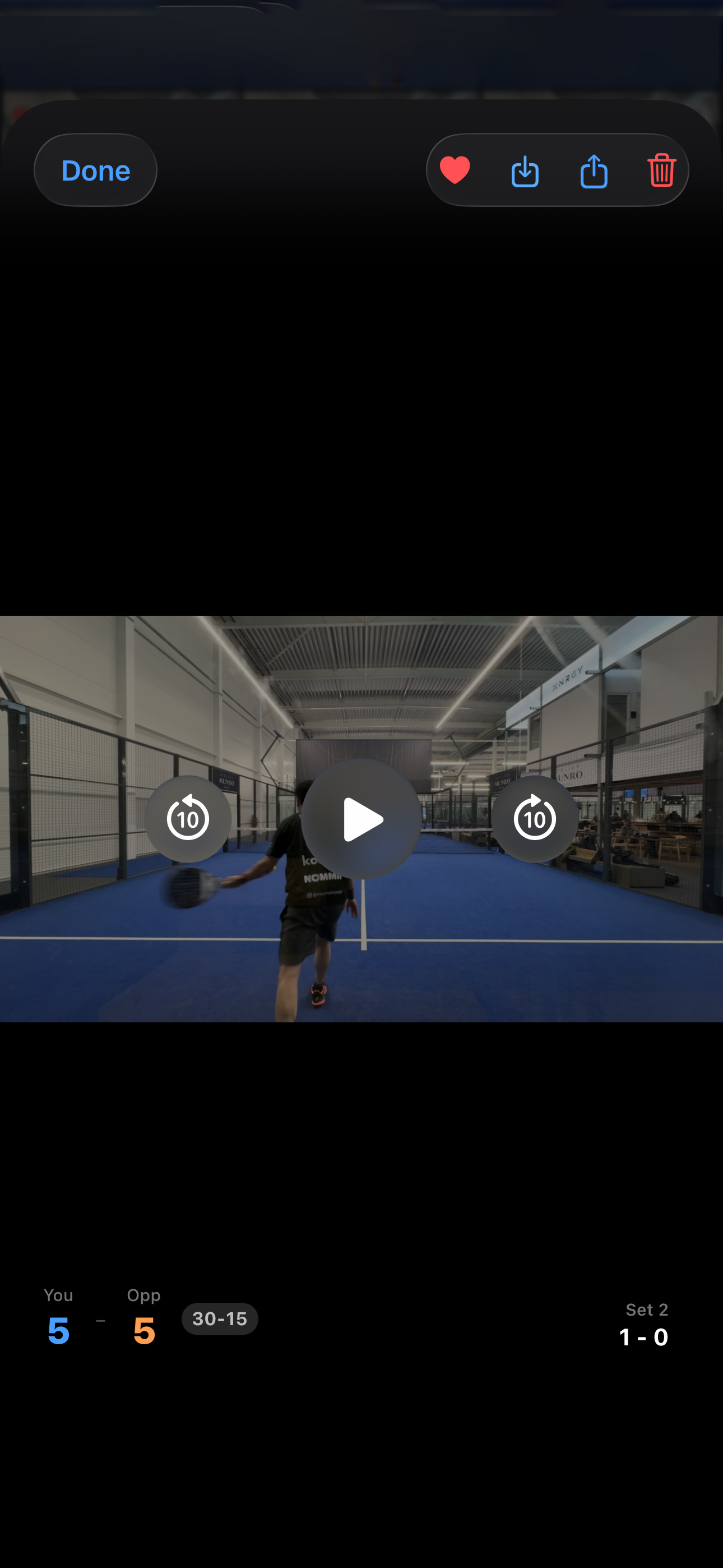
TapClip instant replay
Set your iPhone by the court and TapClip keeps the last moments ready. Trigger a replay from your Apple Watch or iPhone, then save the rally you'll want to send to the group chat, with its match context still attached.
Built for real padel scoring
Choose traditional deuce, silver point, golden point or star point. However the match is played, TapScore keeps up when the score gets tight.
Play advantage scoring when your match follows the classic tennis-style format.
Choose sudden-death deuce for the decisive point that changes the whole game.
Use star-point scoring when that is how your club, league or social match plays.
Padel match tracker
See how every set unfolded, from service games and break points to momentum. Spot the swings you felt on court, build on what worked, and play the next one sharper.
Scroll to explore the match
TapScore FAQ
Yes. TapScore is built for iPhone and Apple Watch. Start a match and track its score from your Apple Watch, then review match history and clips on iPhone.
TapScore is an iPhone and Apple Watch app. Score a match from your watch and review your match history on iPhone. TapClip replay also needs your iPhone by the court with camera and microphone access.
TapScore follows the standard padel scoring structure set out in International Padel Federation (FIP) rules: points, games, sets and tiebreaks. You can then choose the deuce mode used for your match.
TapScore supports traditional deuce, silver point, golden point and star point. Choose the format used by your club, league or social match.
Your iPhone records a rolling video buffer by the court. When you trigger TapClip from the Apple Watch or iPhone, TapScore saves a replay clip with the match it belongs to.
Yes. Match scoring and match history work without TapClip. TapClip is optional, and is available when you want to record and save replay clips from your iPhone.
Yes. The free tier includes up to 3 matches and 10 TapClip saves in 720p. Pro unlocks unlimited matches and TapClip saves, plus 1080p video quality.
Yes. Add a complication to start or resume scoring, see your monthly wins, losses and win rate, or view the result of your most recent match. TapScore supports circular, corner and rectangular Apple Watch complication families.
TapScore can use Apple Watch workout tracking for your match, including duration, calories and heart-rate data saved to the Health app.
Download TapScore for free and try it for yourself. Keep score from your Apple Watch, save the points worth sharing, and get more from every match.
Download TapScore